Everything you love about a Mac. And a lot it can't do.

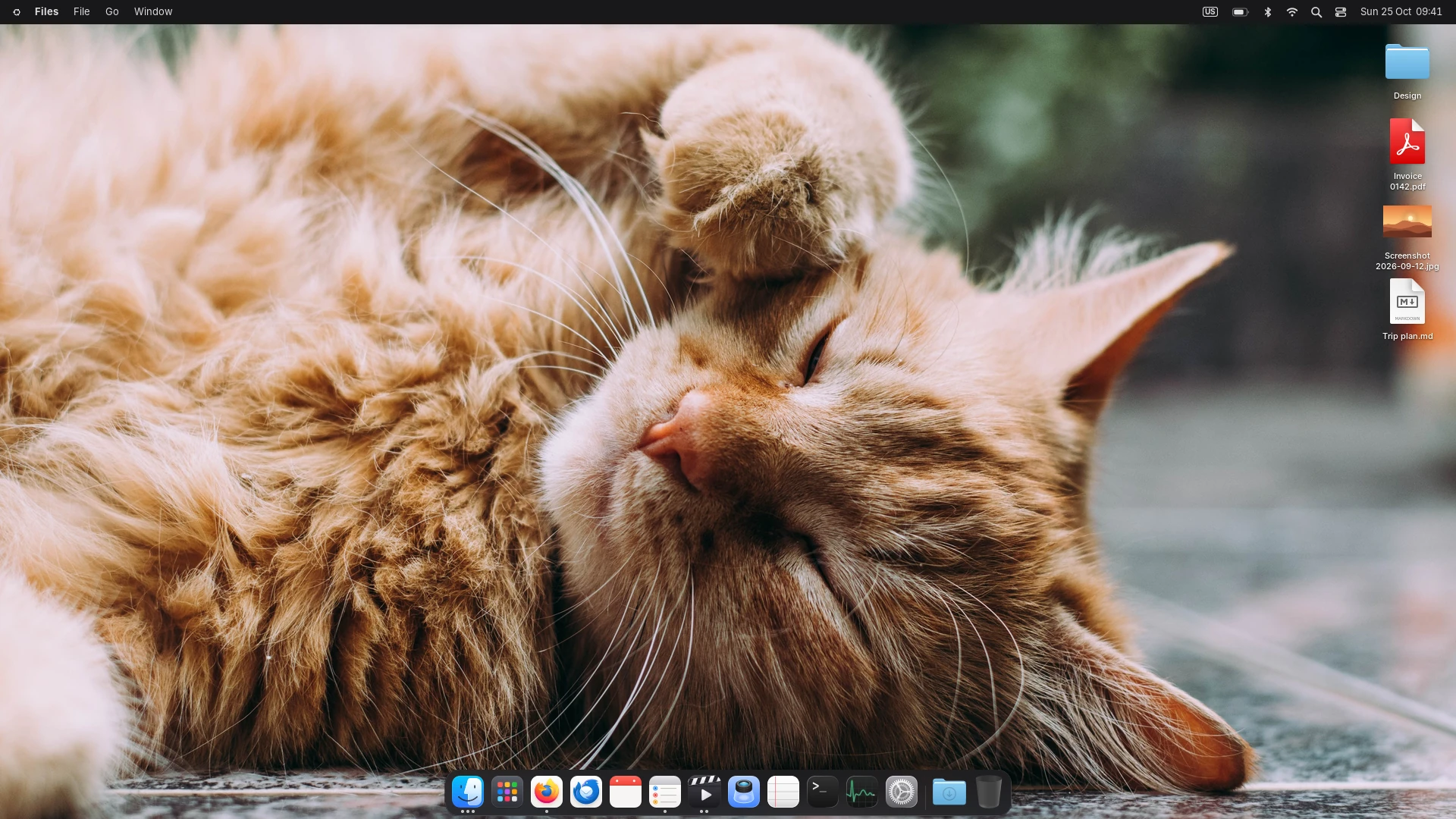
Sonata is a complete desktop for Linux: menu bar, Dock, Control Center, Files, Settings and a dozen apps, all made to work together. Then it goes further, with folders in the Dock, apps you can lock, hide or open in a sandbox, video wallpapers and a look you can make truly yours. Free, and ready from the first minute.

$git clone https://github.com/vinioliveiras/sonata2.git && cd sonata2 && ./install.sh

Sonata with a video wallpaper. The desktop is a real capture; the video is by Zeki Binici on Pexels.

Things your Mac can't do.

Sonata starts where other desktops stop. These come built in, no extensions, no extra apps, and work with every app you install.
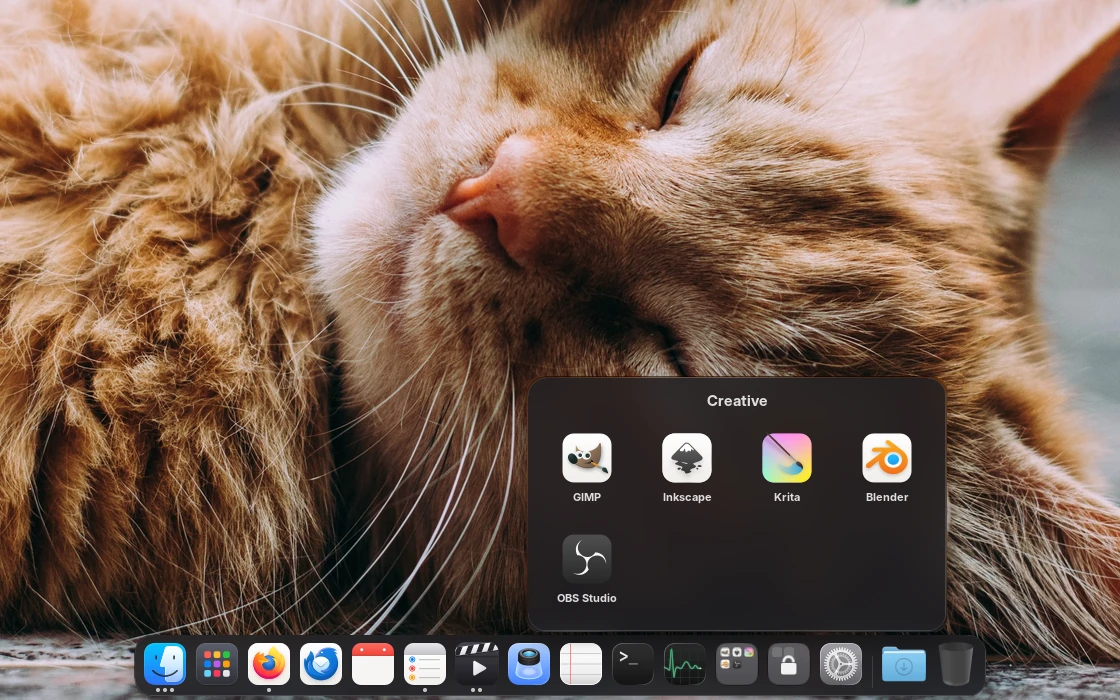
A folder named Creative open over the Dock, with GIMP, Inkscape, Krita, Blender and OBS Studio
DockFolders in the DockGroup apps into folders right in the Dock, like on your phone, and open them with a click. Drag any folder from Files there too and it stays as a stack.
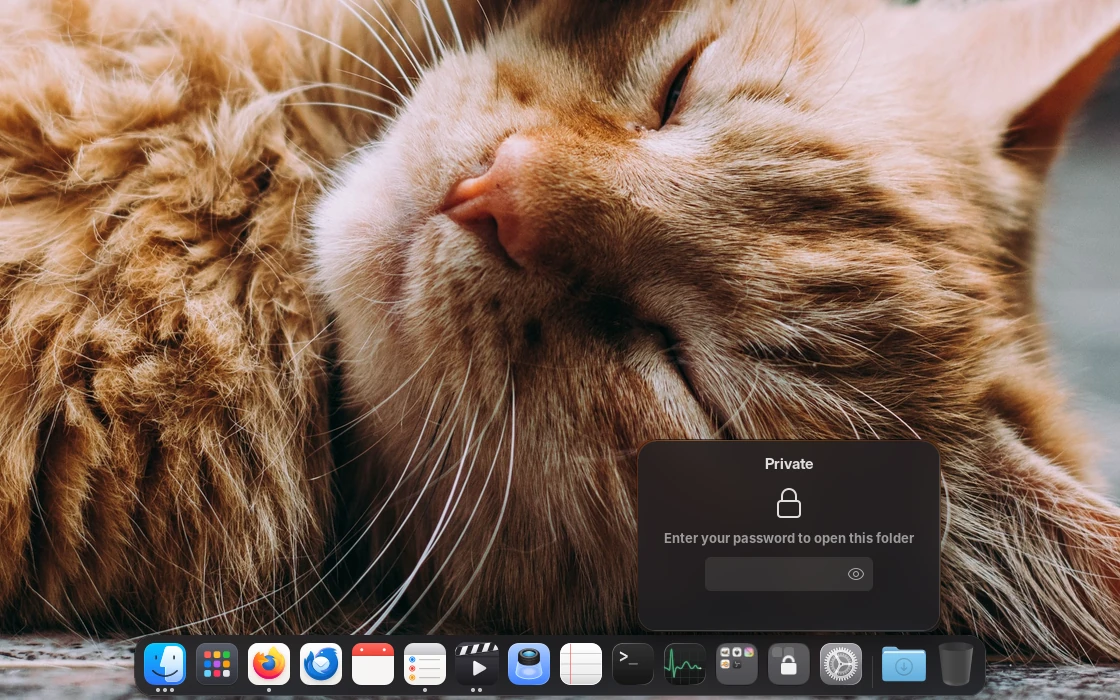
A locked Dock folder asking for the password
PrivacyLock any app or folderYour chats, your banking app, a whole folder of them: locked ones ask for your password every time they open. Nothing of what's inside shows on the icon.
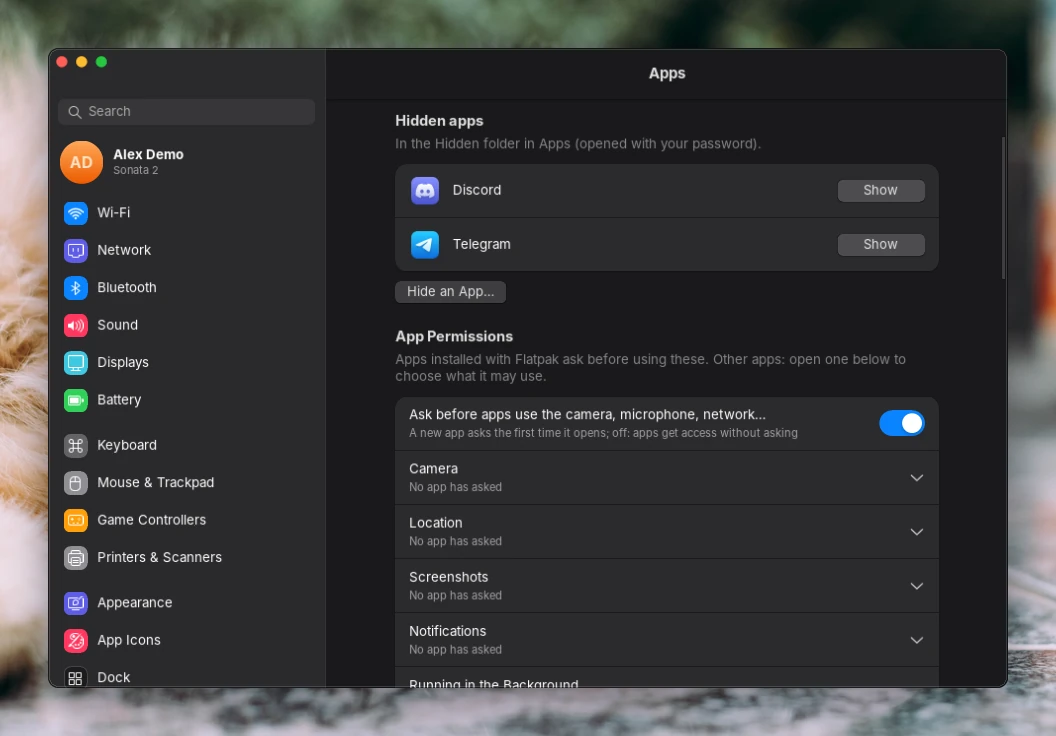
Settings, Apps: hidden apps and app permissions
PrivacyHide apps, and choose what they can useHidden apps leave Apps, Search and the Dock; only your password brings them back. New Flatpak apps ask before they use the camera, microphone, network or your files.
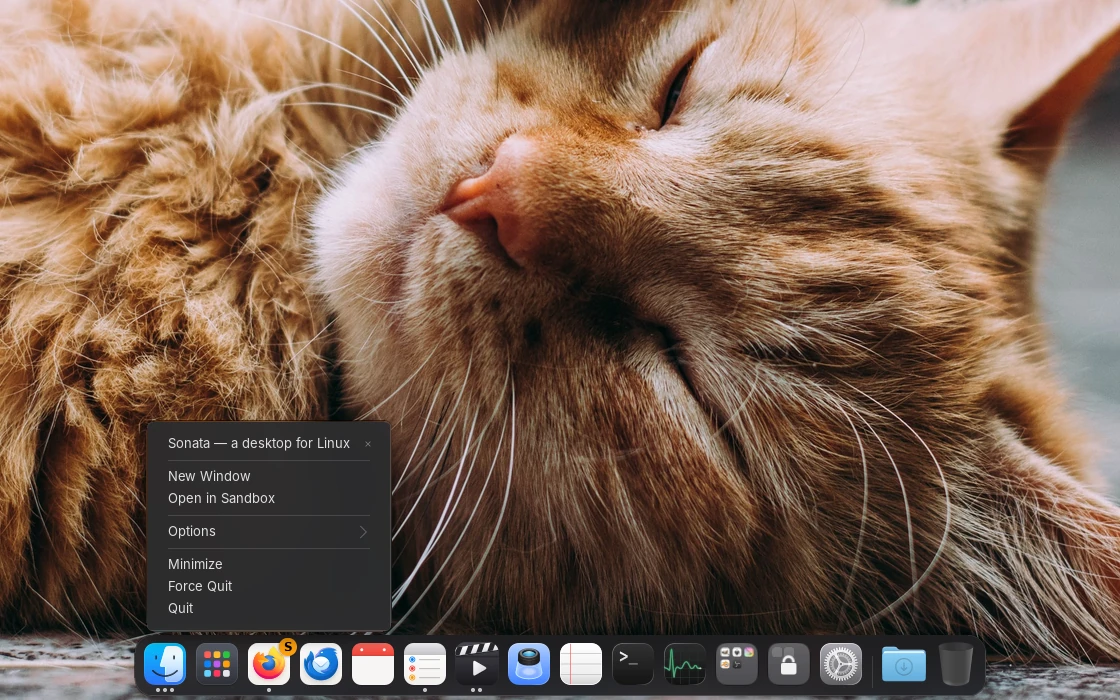
The Dock menu of a browser with Open in Sandbox, and an orange S on its icon
SecurityOpen any app in a sandboxTry an app with an empty home of its own: none of your files, sign-ins or settings, and nothing it does is kept when it closes. An orange S shows which copy is sandboxed.
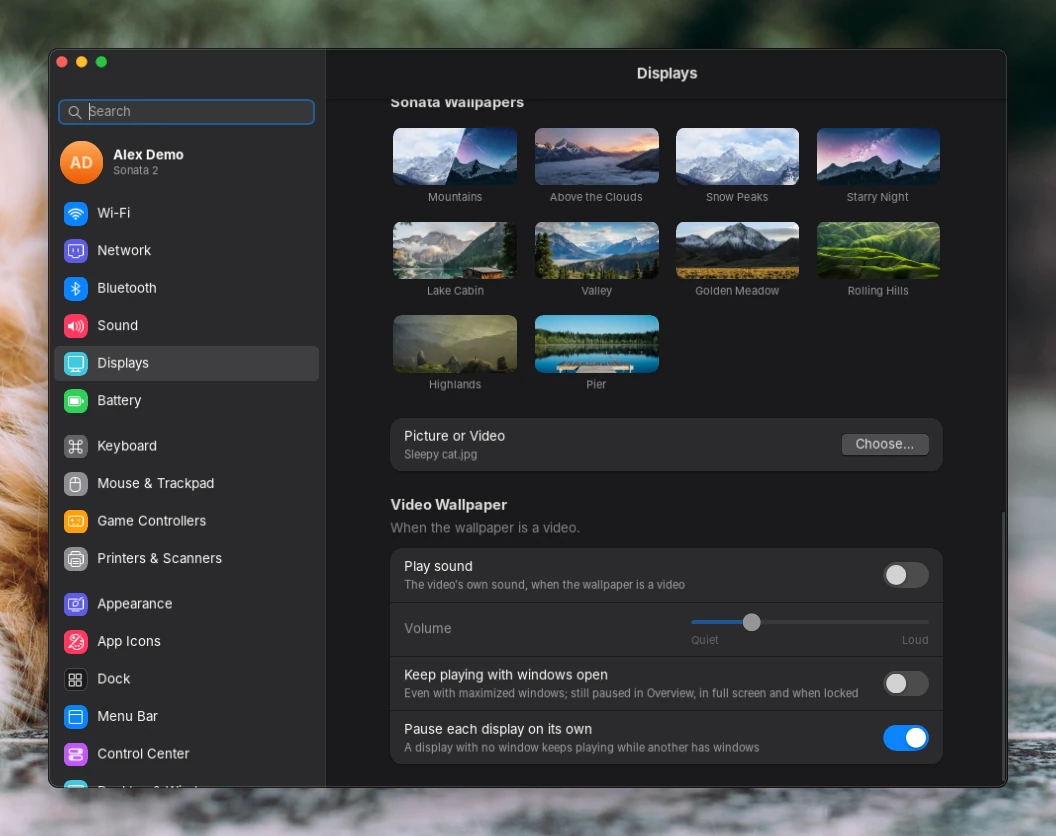
Settings, Wallpaper: the Sonata wallpapers, Picture or Video and the video wallpaper options
WallpaperVideo wallpapers, done rightAny video as your wallpaper, looping with a soft fade, with sound if you want it. It pauses under your windows, in games and on each display on its own, and plays blurred on the lock and login screens.
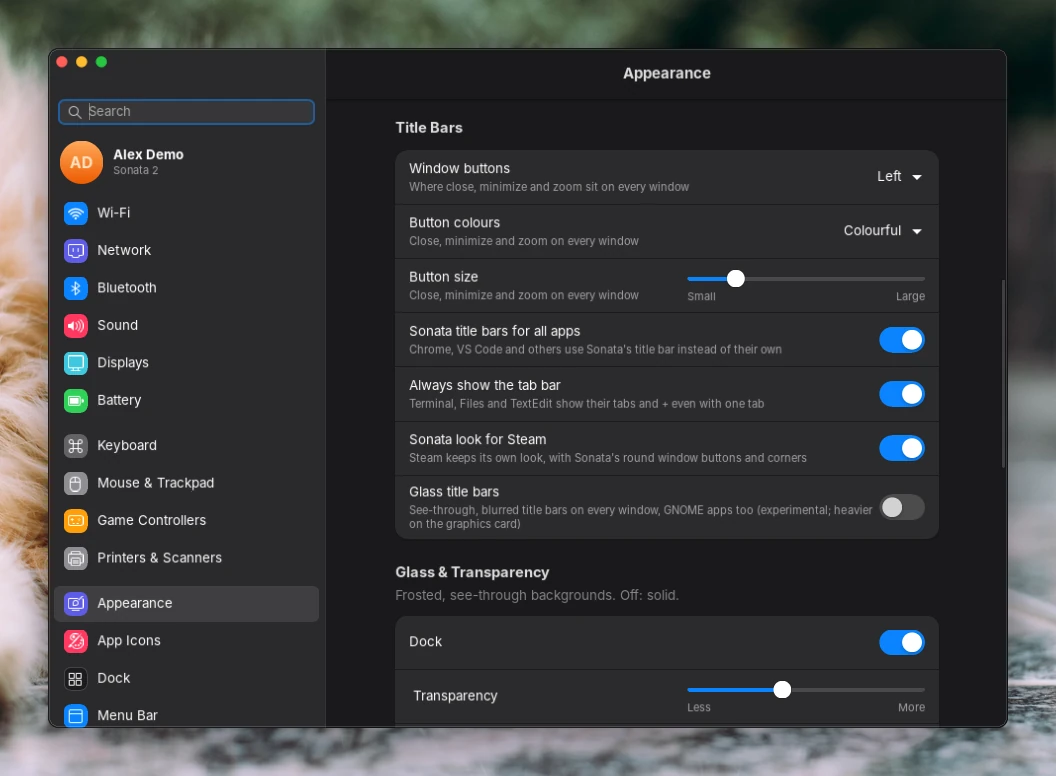
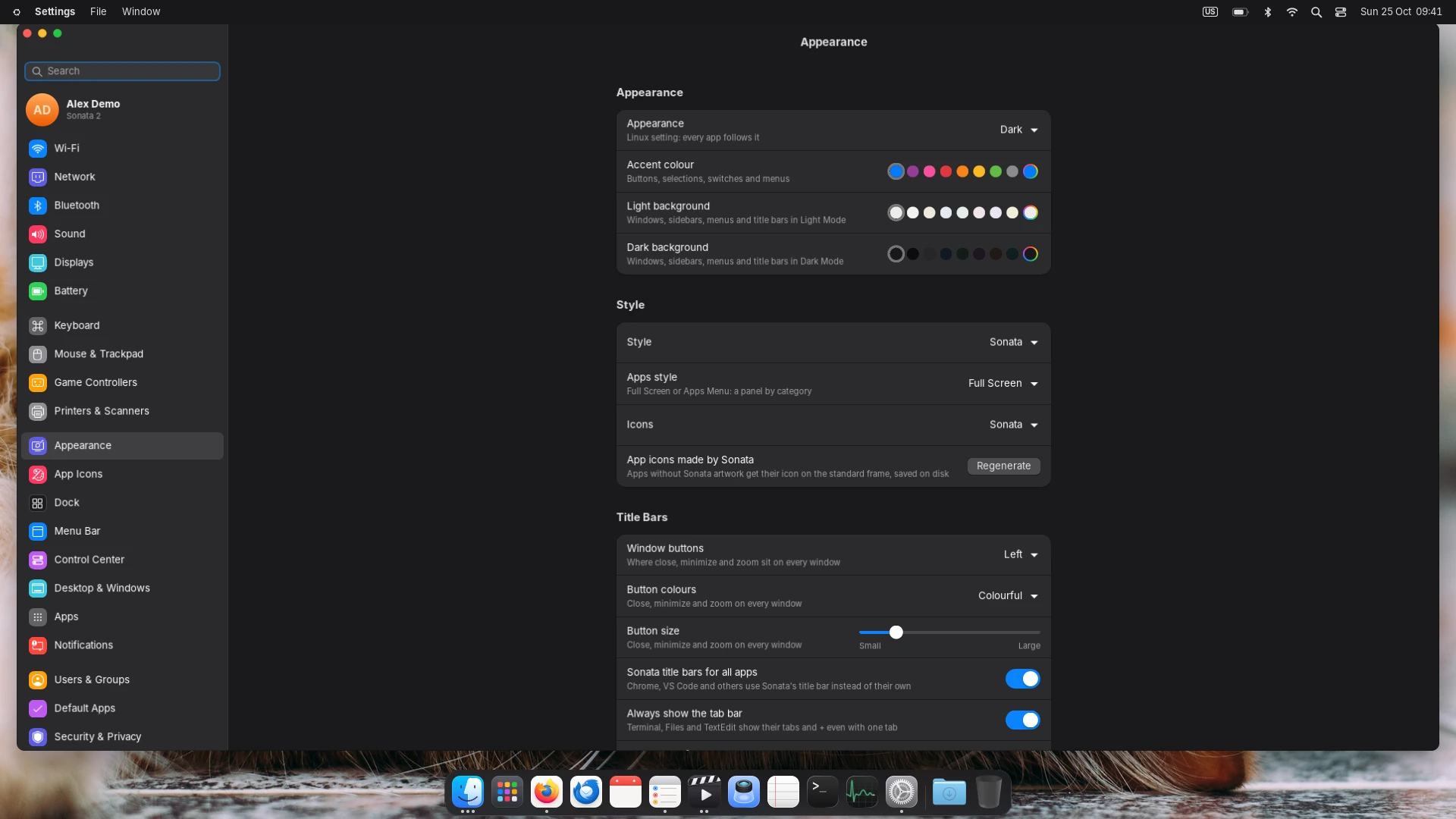
Settings, Appearance: window buttons, button colours, button size and title bars
PersonalisationMake every window yoursWindow buttons on the left or the right, in any size and colour. Rounder or squarer corners, more or less glass, any accent colour from a colour wheel, a tinted background, and the same look in Chrome, VS Code and Steam.

Linux, without the learning curve.

Linux is fast, private and free. What kept people away was everything around it. Sonata takes that part off your hands.

  1. Click, don't type

    Wi-Fi, Bluetooth, displays, sound, printers, users, default apps and updates all live in Settings and the Control Center. You never need a terminal.

    Settings
  2. Beautiful by default

    Glass, smooth animations and one consistent look for every app, Chrome and Steam included. Light and Dark, video wallpapers, nothing to set up first.

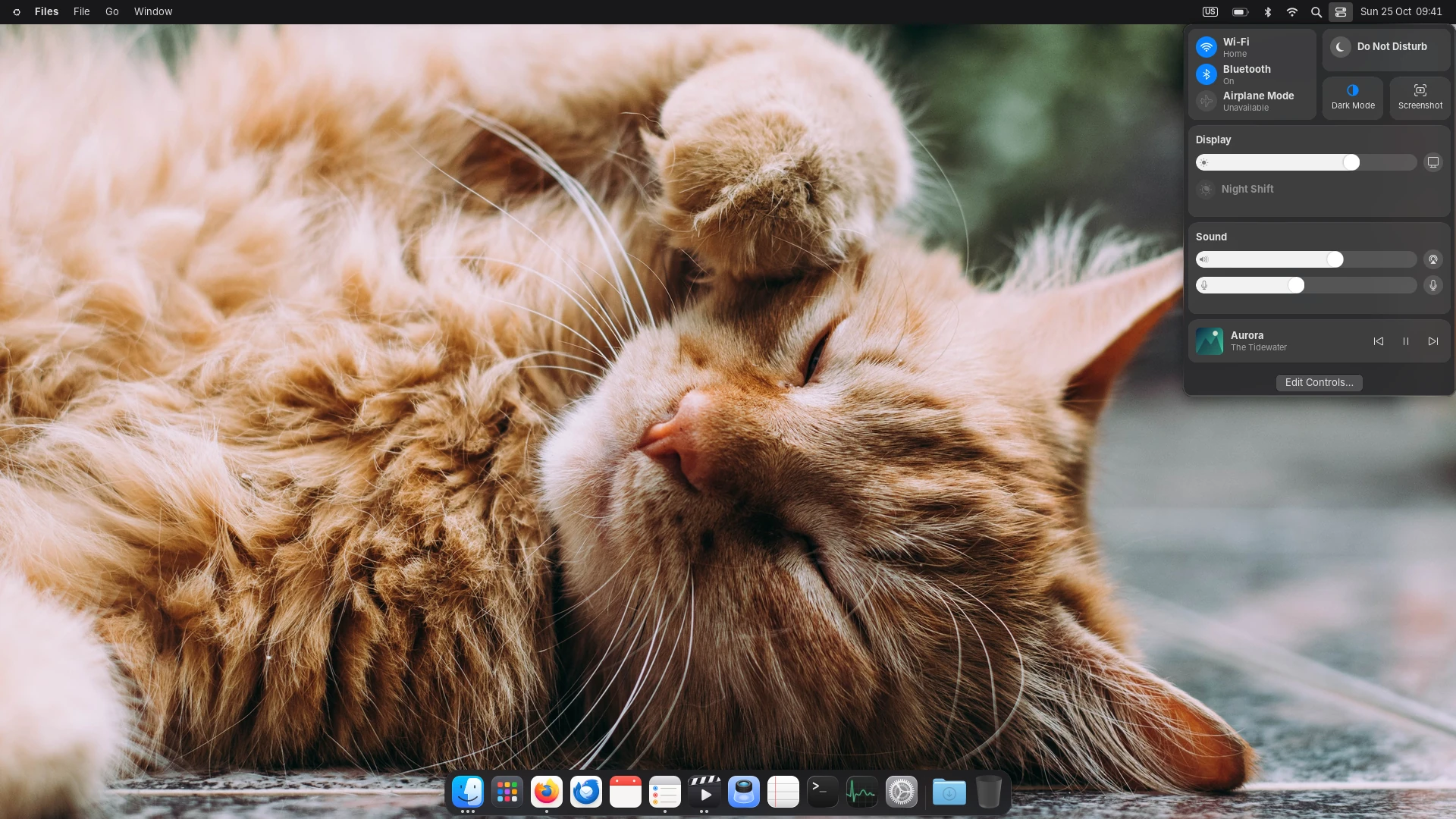
    The Control Center over the desktop
  3. Feels familiar

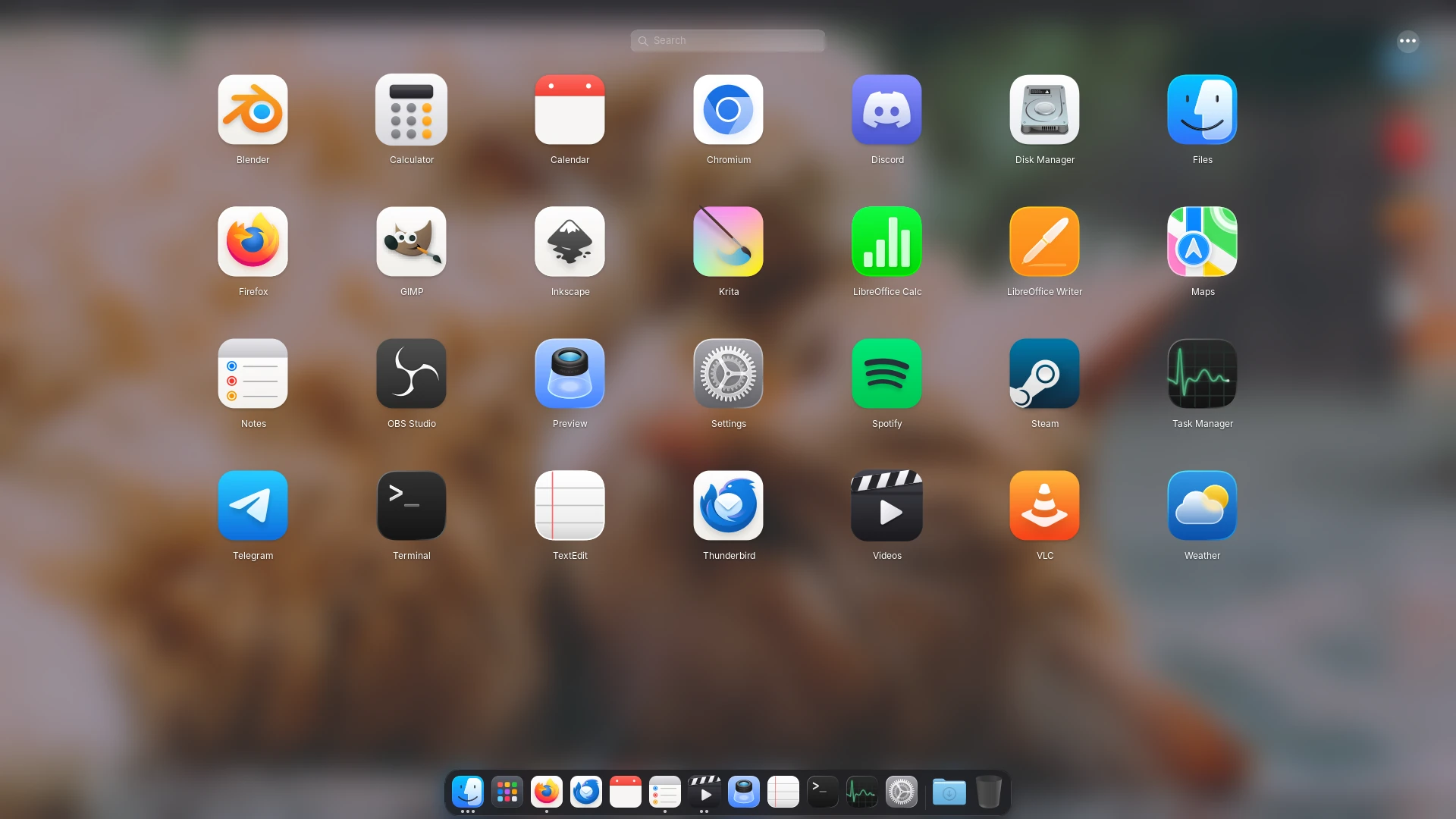
    A Dock, a menu bar, a grid of your apps and the Windows shortcuts you already know: Alt+Tab, Super+D, Win+V and more.

    All your apps in a full-screen grid
  4. Takes care of itself

    If something goes wrong, Sonata starts again on its own and offers to reopen your apps. Games get the strong graphics card, everyday apps the one that saves memory. Updates show up as a notification.

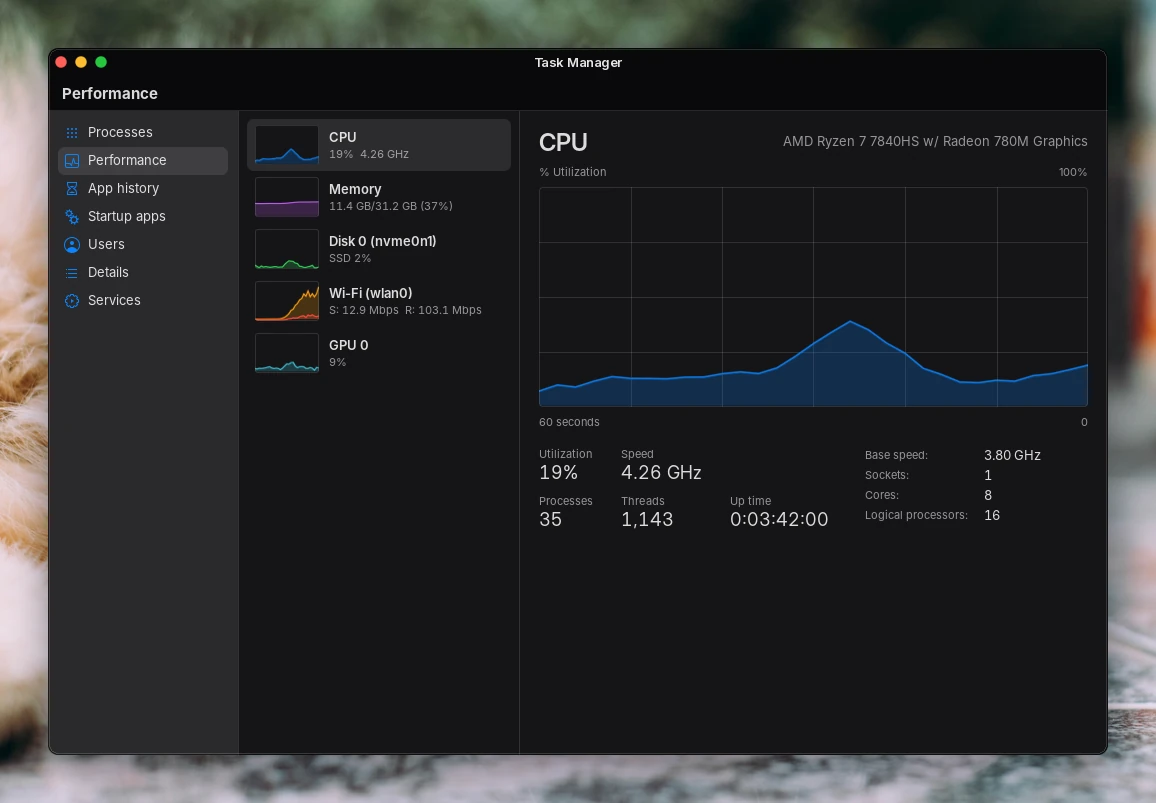
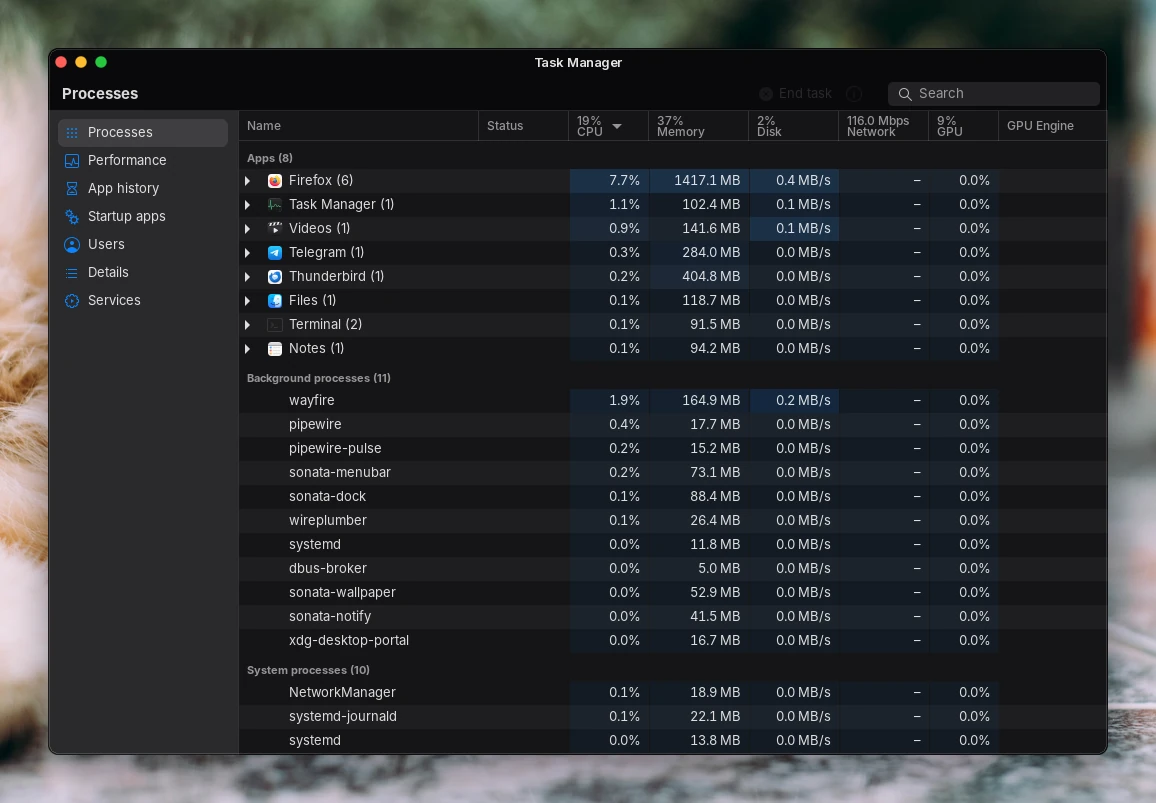
    Task Manager, Performance

Make it yours. All of it.

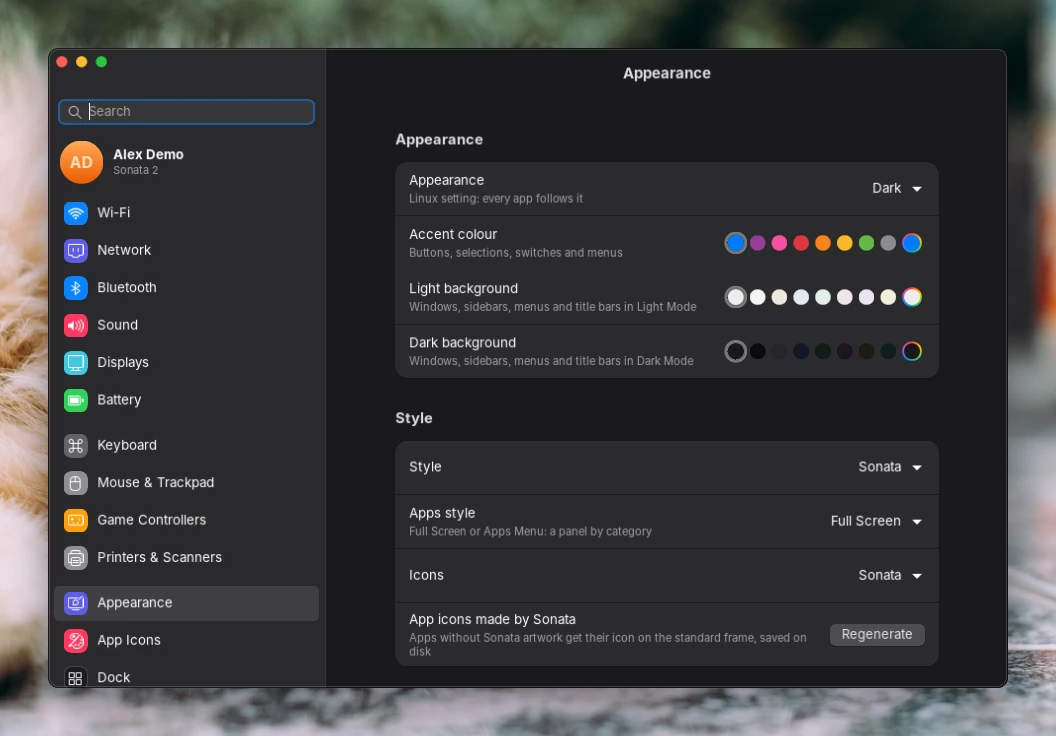
Most desktops let you change the wallpaper and the accent colour. Sonata lets you change the desktop itself, and everything follows: its own apps, other apps, the title bars it draws for them, even Steam.

Colours
Any accent from a colour wheel, a background tint for Light and Dark, button colours.
Shape
Corners of windows, the Dock and menus, window buttons on either side and in any size.
Glass
How see-through the Dock, menu bar, menus and title bars are, each on its own.
Wallpaper
Sonata's photos, your pictures, or a video with sound.
Icons
One icon style for every app, even the ones that don't ship one.
Settings, Appearance: accent colour, backgrounds, style and icons

Everything you need, ready on day one.

Files, notes, reminders, a calendar, a task manager and more, designed together, all in Light and Dark.

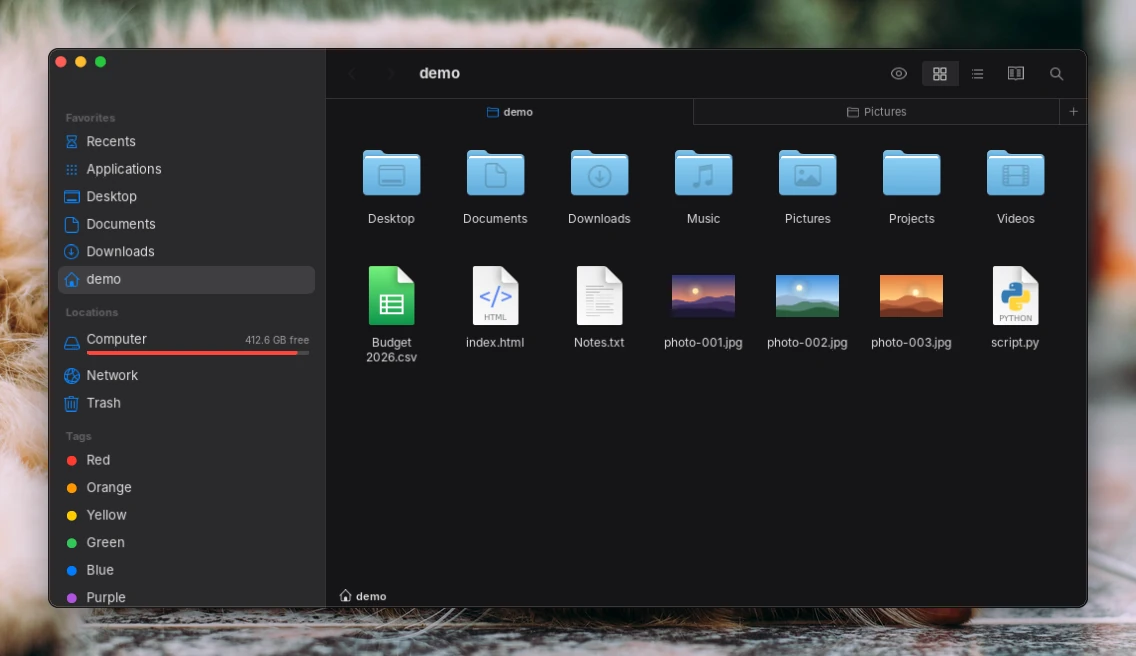
Files
FilesTabs, quick previews, every disk mounted for you
Settings
SettingsYour computer and your desktop, in one place
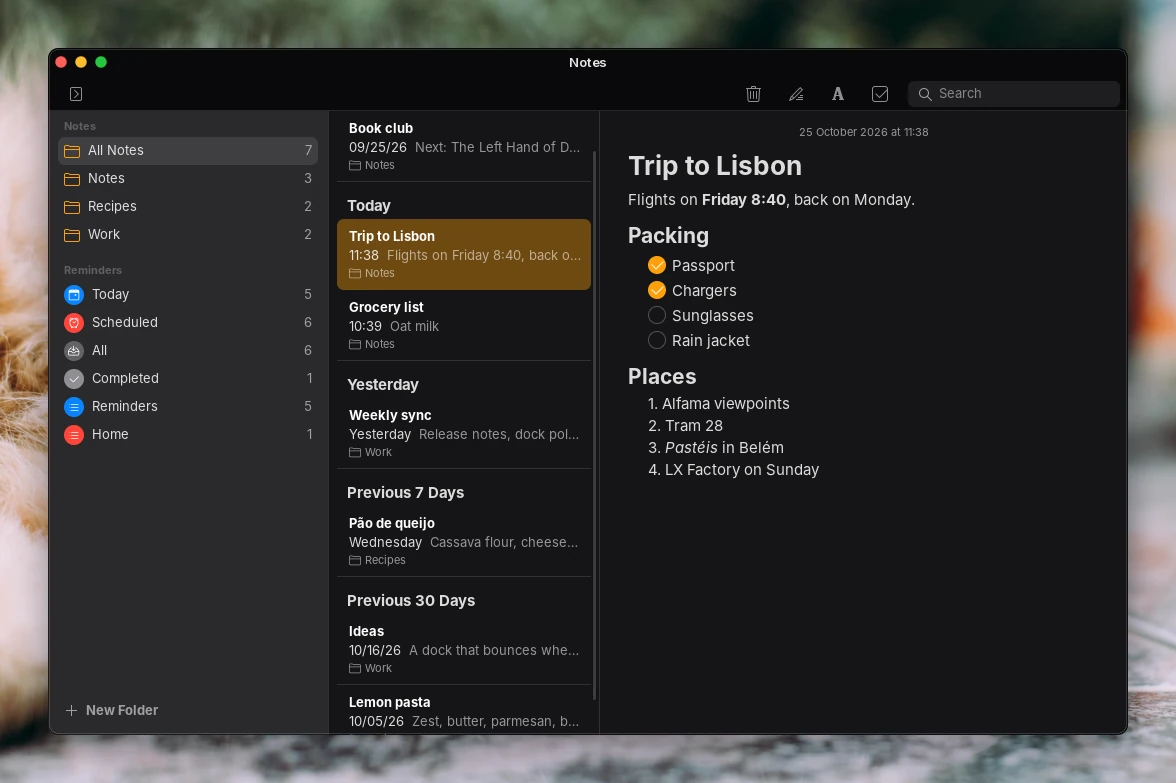
Notes
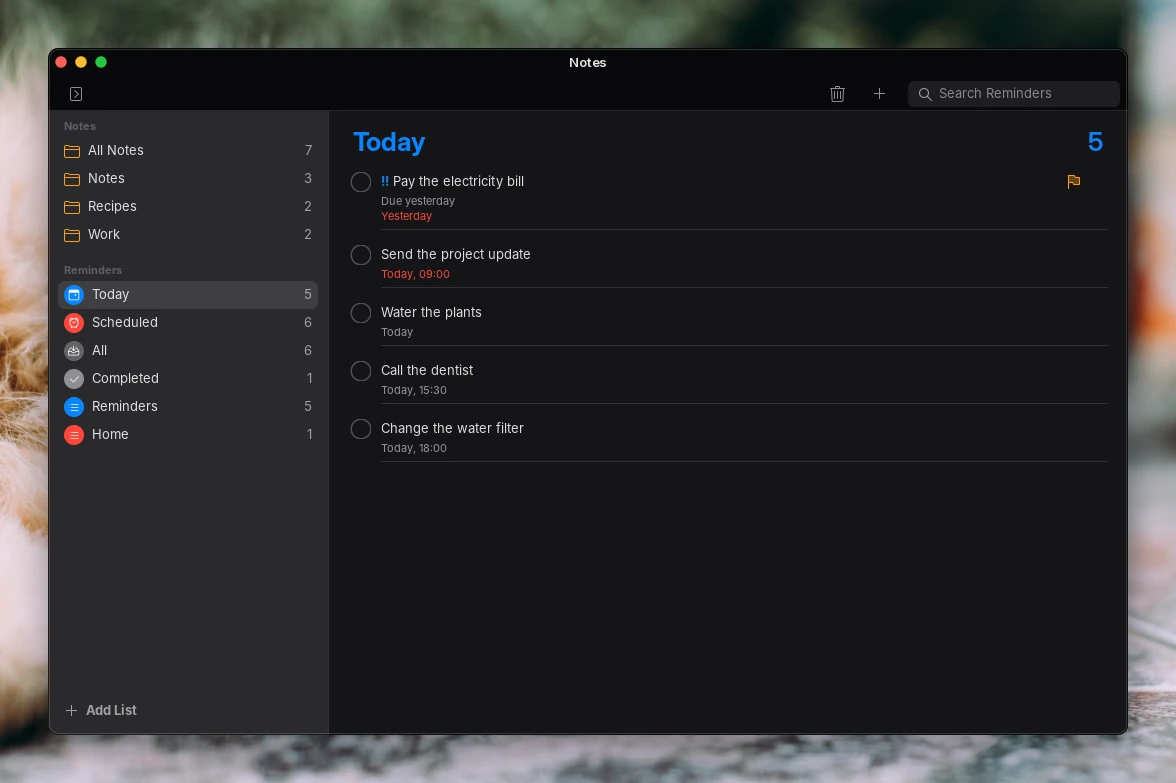
NotesChecklists, folders, search
Reminders
RemindersLists with dates and priorities
Calendar
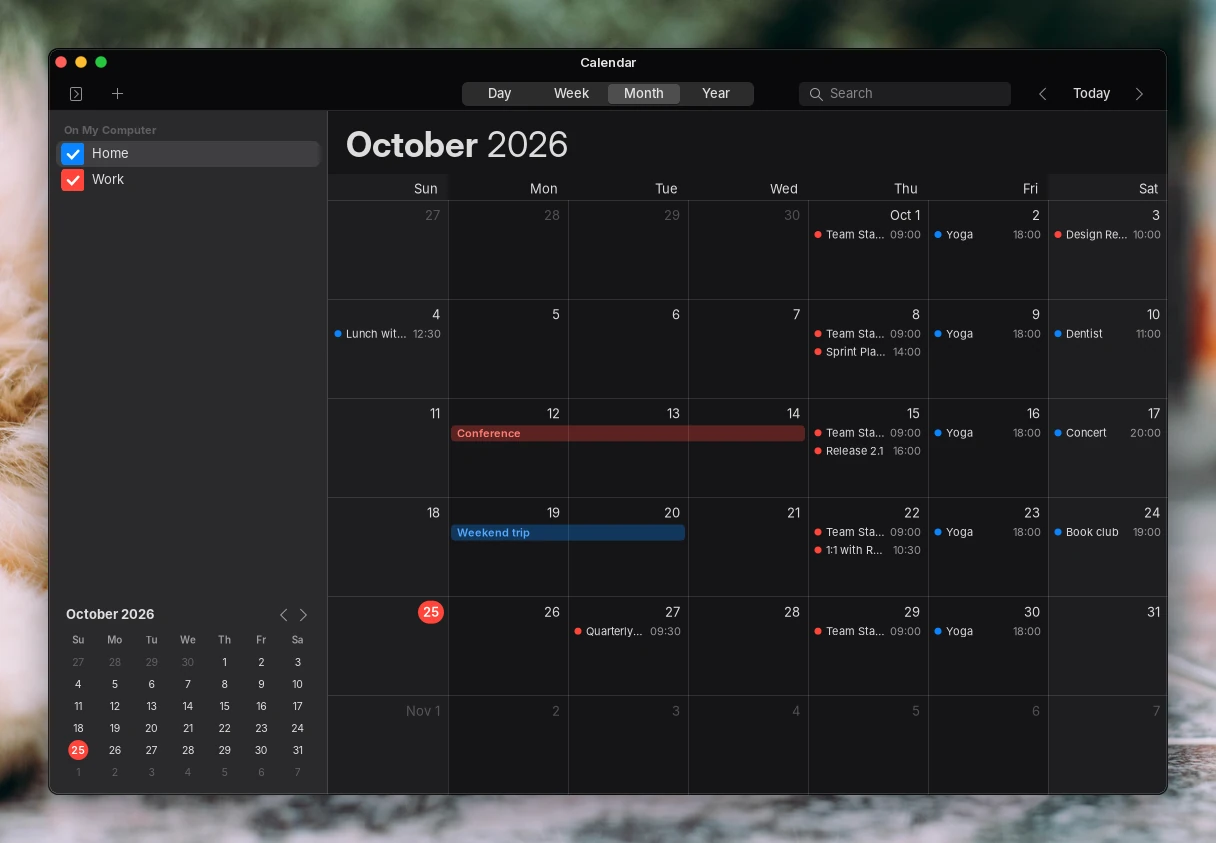
CalendarYour calendars, with invites
Task Manager
Task ManagerEvery process, and which graphics card it uses
TextEdit
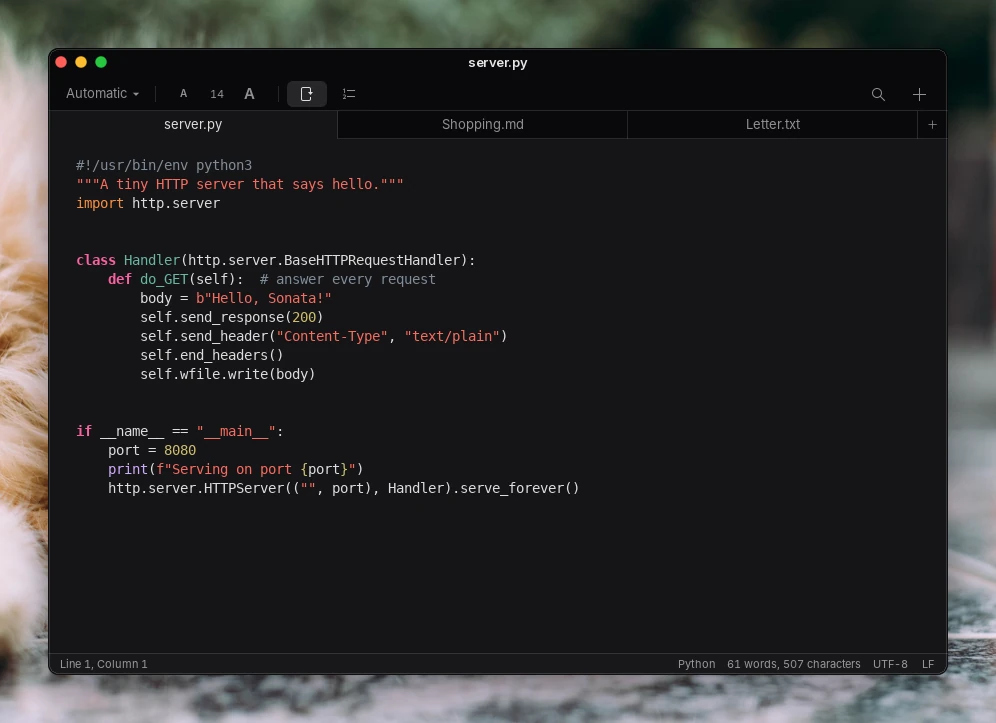
TextEditPlain and rich text, in tabs
Preview
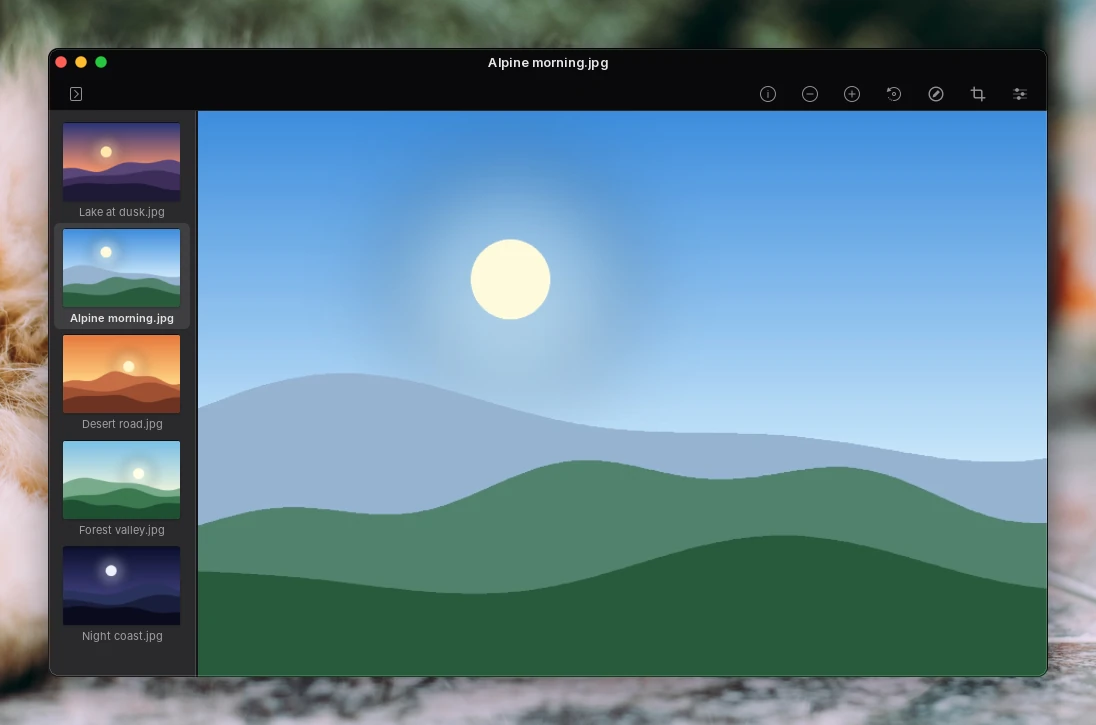
PreviewImages and PDFs
Terminal
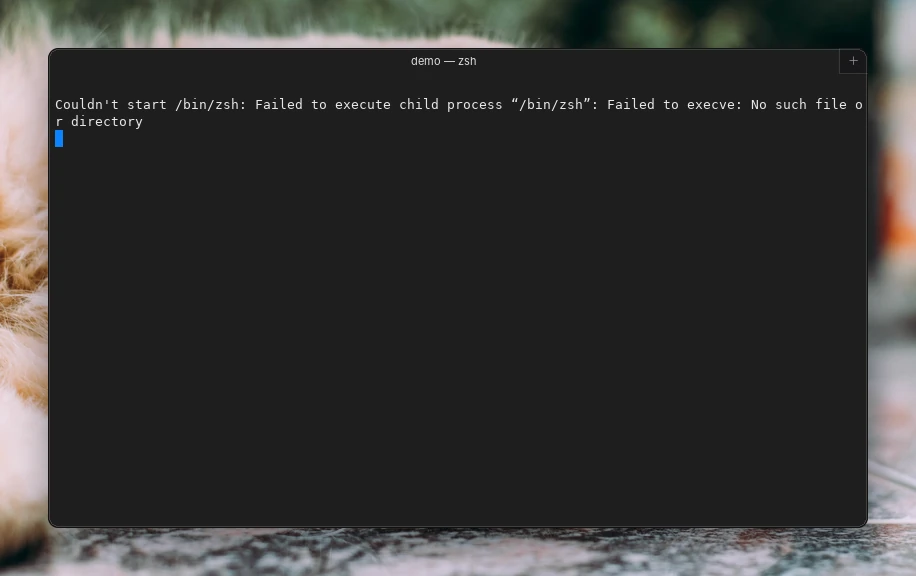
TerminalFor when you want it
Disk Utility
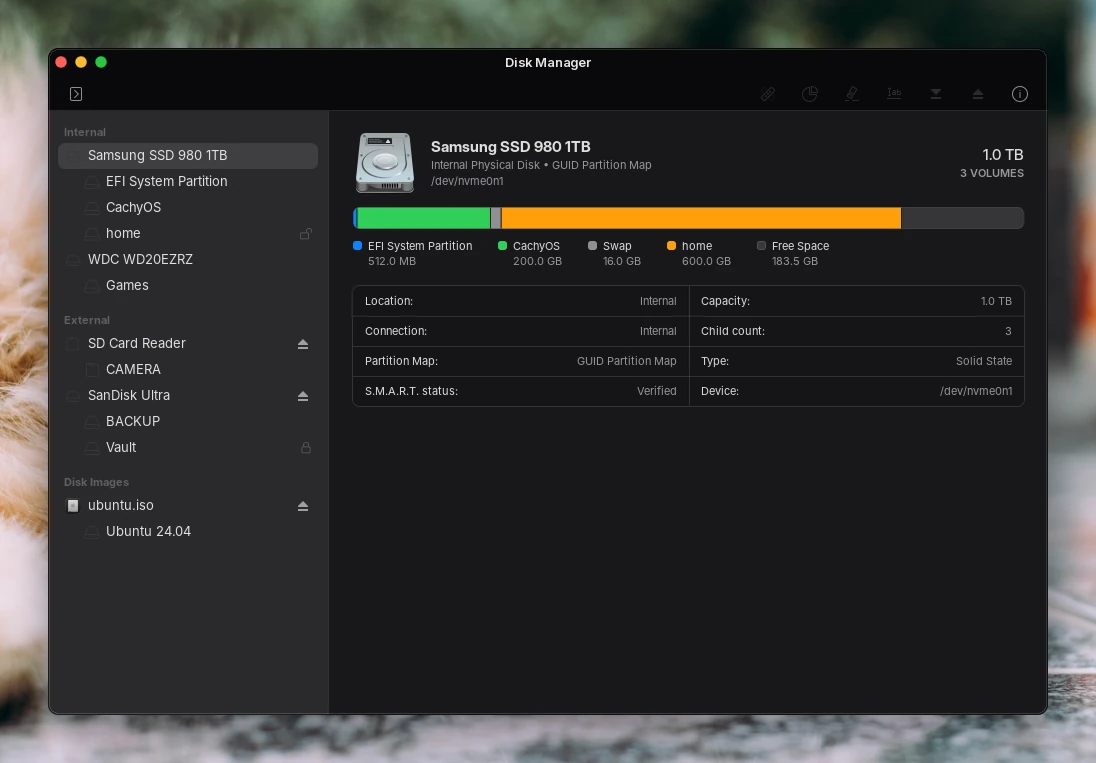
Disk UtilityFormat, mount and check your drives
Calculator
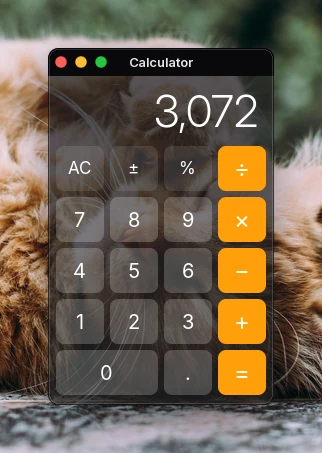
CalculatorBasic and scientific

New in 0.20: wallpapers that move.

  • Video wallpapers. A smooth loop, optional sound, paused under windows, in games and on each display on its own, and blurred on the lock and login screens.
  • Window buttons your size. A size slider, and they move in as the corners get rounder.
  • Folders from Files in the Dock. Drag a folder from the list or the sidebar and it stays as a stack.
  • A colour wheel. Pick any accent colour by dragging, with a brightness slider.
  • Controller shortcut. Hold LB + RB + L3 + R3 to turn desktop control on or off.
Read the full changelog
The Control Center open over the desktop

Made by one person, free for everyone.

Sonata is built in free time and stays free. A coffee or a star helps keep it going.

Built on the work of others.

Sonata stands on free software and art made by people who share it. Each keeps its own license; the details are in the README.